This listing has not been migrated to FAB by the seller. It is only available to use from your Vault in the Epic Games Launcher.Learn more about Fab


First-Person Camera Animation Tool
Rapidly create high-quality first-person animations using vector curves. This tool speeds up the usual workflow of first-person animation creation to several minutes - all inside the Unreal Editor.
- Supported Platforms
- Supported Engine Versions4.15 - 4.19
- Download TypeEngine PluginThis product contains a code plugin, complete with pre-built binaries and all its source code that integrates with Unreal Engine, which can be installed to an engine version of your choice then enabled on a per-project basis.
Description
Reviews
Questions
Demo Video
Tutorial Videos
High-quality animations are crucial to the player's immersion in first-person gaming. Through the plugin's simplicity any developer, even those without professional animation experience, are enabled to create immersive animations and play-test them right in the editor negating traditional workflows that involve importing from modelling software. Having been developed during several internal projects this software has matured to tooling both useful and productive - all to your benefit.
Under the following link you may get a heads-on experience of the animation quality in a Playable Demo.
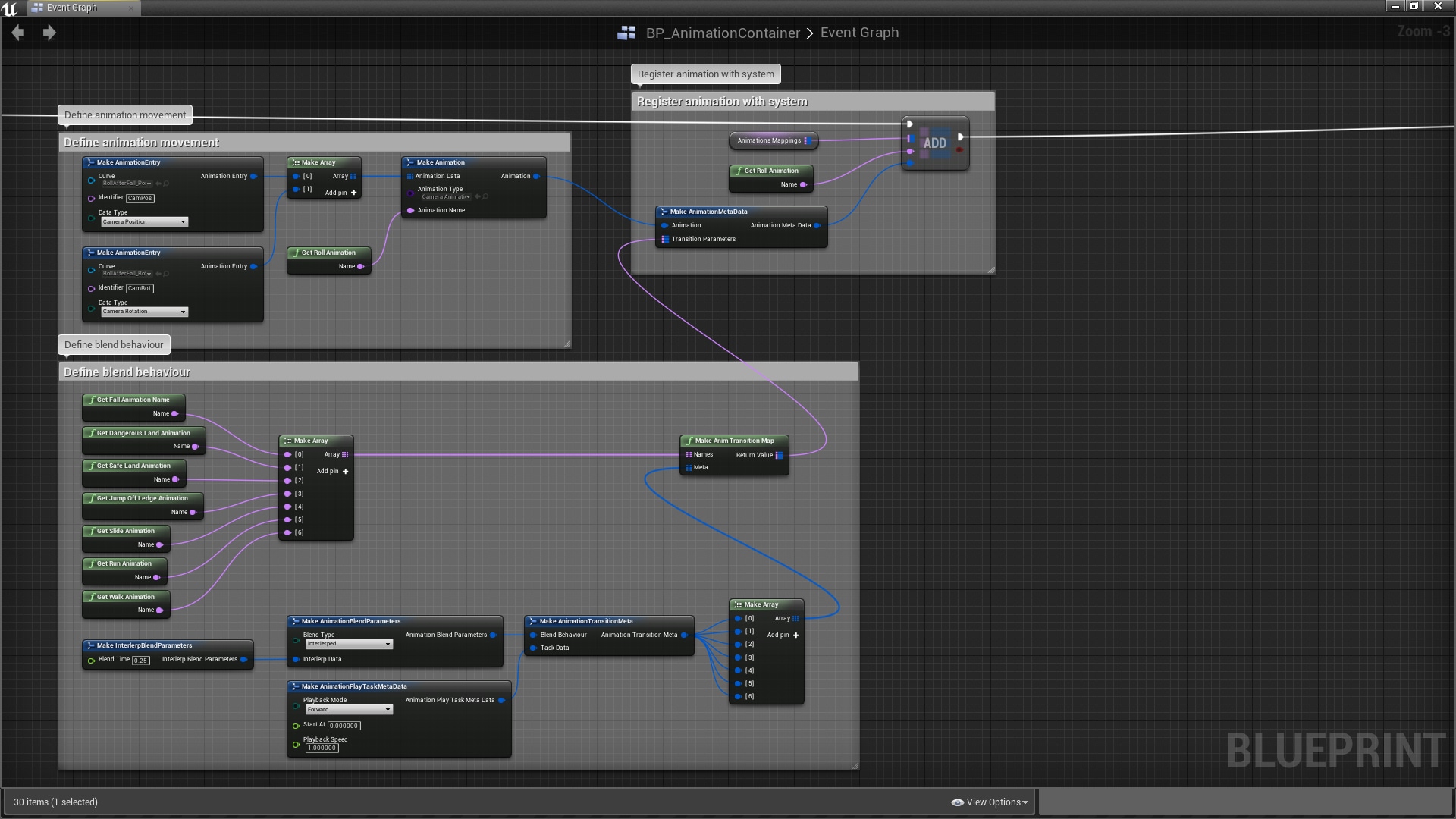
Animations are intuitively created using vector curves inside the editor and are then registered to the system using blueprints at the beginning of the game. The are multiple functions available, for both blueprints and C++, through which animations may be played, stopped, and queried for information, like time remaining or name.
The system supports animation blending to ensure smooth, believable transitions. For ease of use, it is even possible to configure the system to automatically apply specific blend parameters for different transitions.
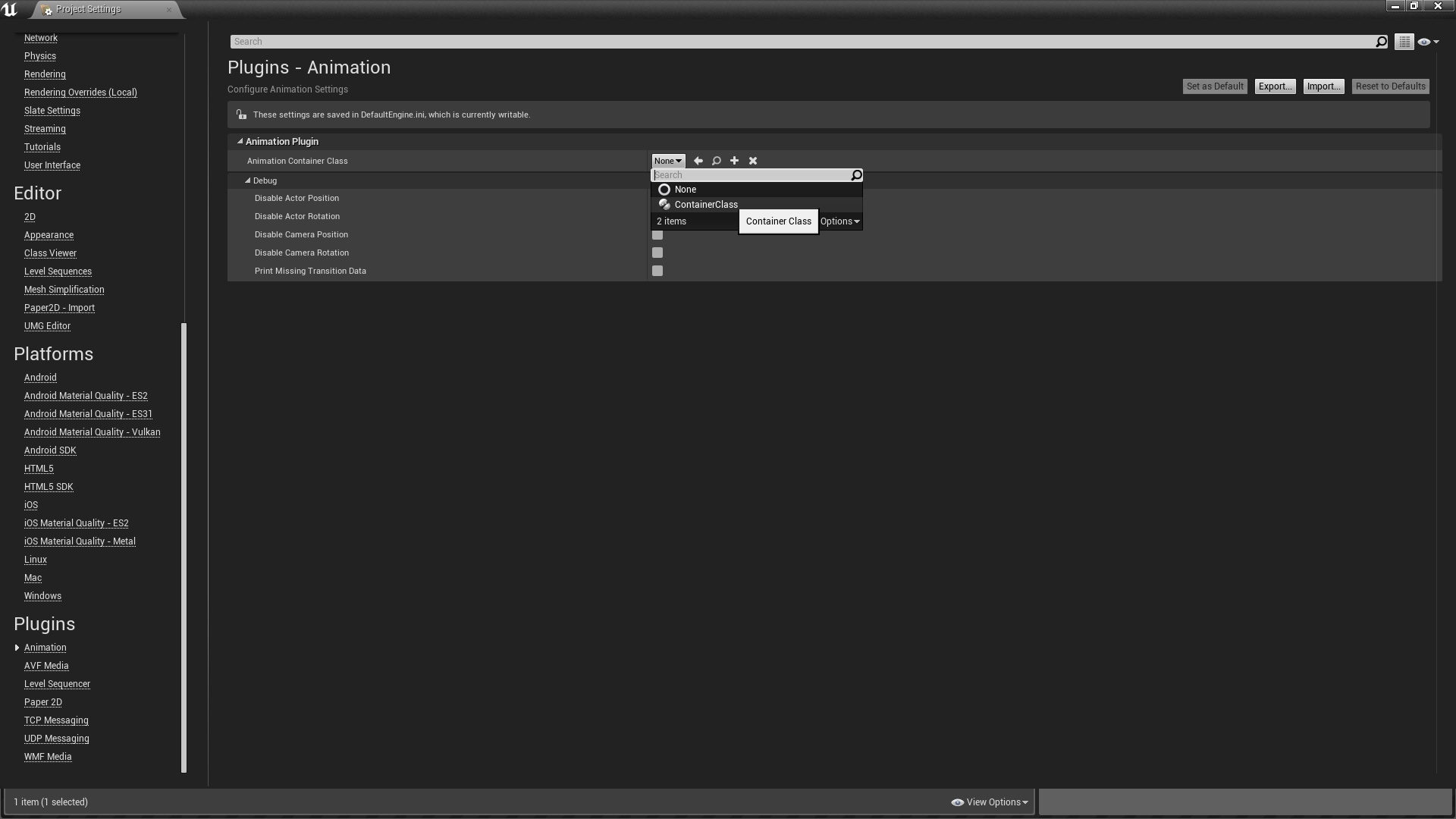
There are several artist-level debugging options available, too: the system may be configured to animate isolated features, like camera rotation, in the project settings.
Tutorial Videos
High-quality animations are crucial to the player's immersion in first-person gaming. Through the plugin's simplicity any developer, even those without professional animation experience, are enabled to create immersive animations and play-test them right in the editor negating traditional workflows that involve importing from modelling software. Having been developed during several internal projects this software has matured to tooling both useful and productive - all to your benefit.
Under the following link you may get a heads-on experience of the animation quality in a Playable Demo.
Animations are intuitively created using vector curves inside the editor and are then registered to the system using blueprints at the beginning of the game. The are multiple functions available, for both blueprints and C++, through which animations may be played, stopped, and queried for information, like time remaining or name.
The system supports animation blending to ensure smooth, believable transitions. For ease of use, it is even possible to configure the system to automatically apply specific blend parameters for different transitions.
There are several artist-level debugging options available, too: the system may be configured to animate isolated features, like camera rotation, in the project settings.
Technical Details
List of Features:
- create first-person and movement animations using the curve editor
- two animation types included: one animates the player camera and the second an actor's transform. Different animation types may be run simultaneously
- animation 'debugging' tools disabling specific parts of animations, such as relative movement and rotation, allowing for easier content creation
- high-quality blending algorithm to ensure smooth, seamless transitions
- auto-blend behaviour included: configure system to utilise specific blend parameters when transitioning from certain animations
- written in a modular fashion: it is possible to implement custom blending algorithms and animation types
Network Replicated: No
Supported Development Platforms: Win64, Win32
Supported Target Build Platforms: Win64, Win32
Documentation: drive.google.com/open?id=0B15t6-S3ZwWzUi1RS0p5QV9jZ2c
Example Project: drive.google.com/open?id=0B15t6-S3ZwWzUi1RS0p5QV9jZ2c
Important/Additional Notes: This software falls under a license to which you must agree in order to use it; the license may be found under drive.google.com/open?id=1-tYSjTP25k4u9oixz0anWletGEsJiFRjndVf1y4zS2M
Contact: [email protected]
- create first-person and movement animations using the curve editor
- two animation types included: one animates the player camera and the second an actor's transform. Different animation types may be run simultaneously
- animation 'debugging' tools disabling specific parts of animations, such as relative movement and rotation, allowing for easier content creation
- high-quality blending algorithm to ensure smooth, seamless transitions
- auto-blend behaviour included: configure system to utilise specific blend parameters when transitioning from certain animations
- written in a modular fashion: it is possible to implement custom blending algorithms and animation types
Network Replicated: No
Supported Development Platforms: Win64, Win32
Supported Target Build Platforms: Win64, Win32
Documentation: drive.google.com/open?id=0B15t6-S3ZwWzUi1RS0p5QV9jZ2c
Example Project: drive.google.com/open?id=0B15t6-S3ZwWzUi1RS0p5QV9jZ2c
Important/Additional Notes: This software falls under a license to which you must agree in order to use it; the license may be found under drive.google.com/open?id=1-tYSjTP25k4u9oixz0anWletGEsJiFRjndVf1y4zS2M
Contact: [email protected]