This listing has not been migrated to FAB by the seller. It is only available to use from your Vault in the Epic Games Launcher.Learn more about Fab
Option Menu Kit
Integrate and custom your own Options Menu: get Scalability, Inputs, Sound and custom settings easily through the Option Menu Kit, customize every parts of the UI and get the gamepad dynamically integrated through the rebinding system.
- Supported Platforms
- Supported Engine Versions4.12 - 4.18
- Download TypeEngine PluginThis product contains a code plugin, complete with pre-built binaries and all its source code that integrates with Unreal Engine, which can be installed to an engine version of your choice then enabled on a per-project basis.
Description
Reviews
Questions
Preview: youtu.be/8XloKUWO-tI
Build Demo: jonathan-belot.com/Files/FullOptionMenuKit.rar
(Don't forget to download the example project that contain the BPs)
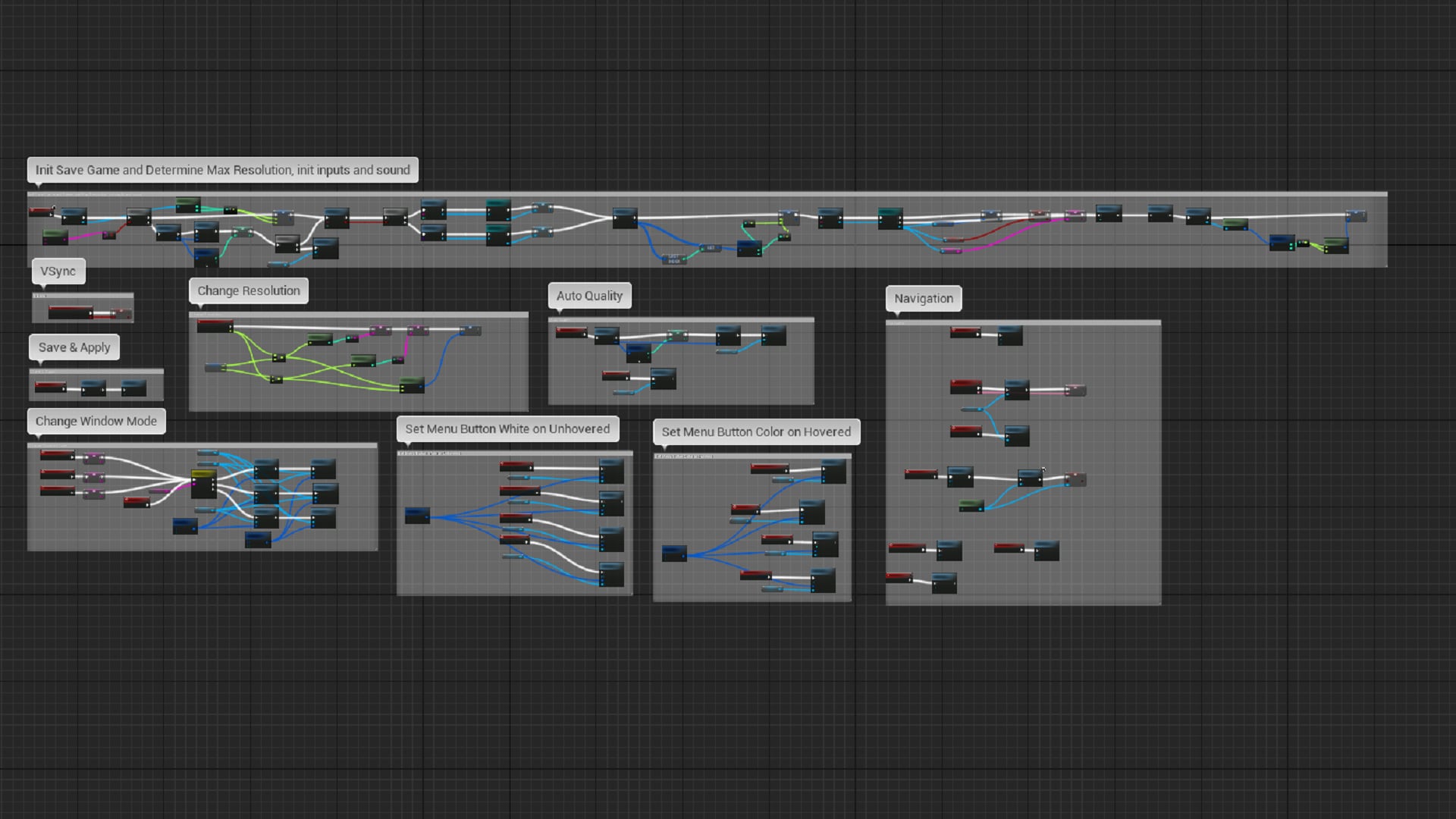
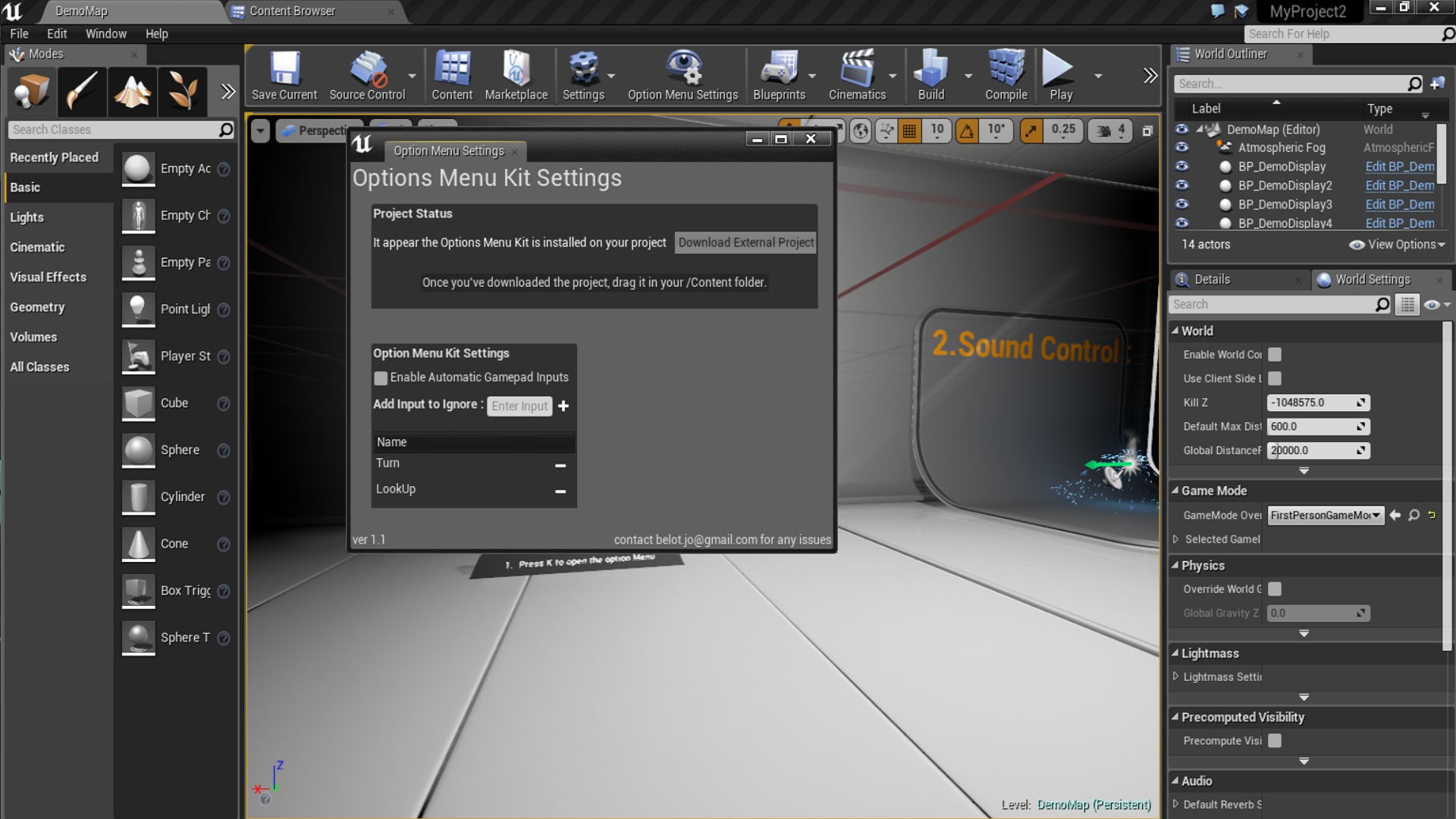
New for 4.13 and 4.14 : Edit your settings and get the BPs directly in the Editor !
The Options Menu Kit is working with a created plugin which expose needed c++ function for the input system, sound system and config files. You can use this nodes for every purposes on your project. This kit include a main Blueprint Widget where all the settings are displayed. Theses settings are :
- Custom Settings which is just a canvas panel created to allow you to add your own settings.
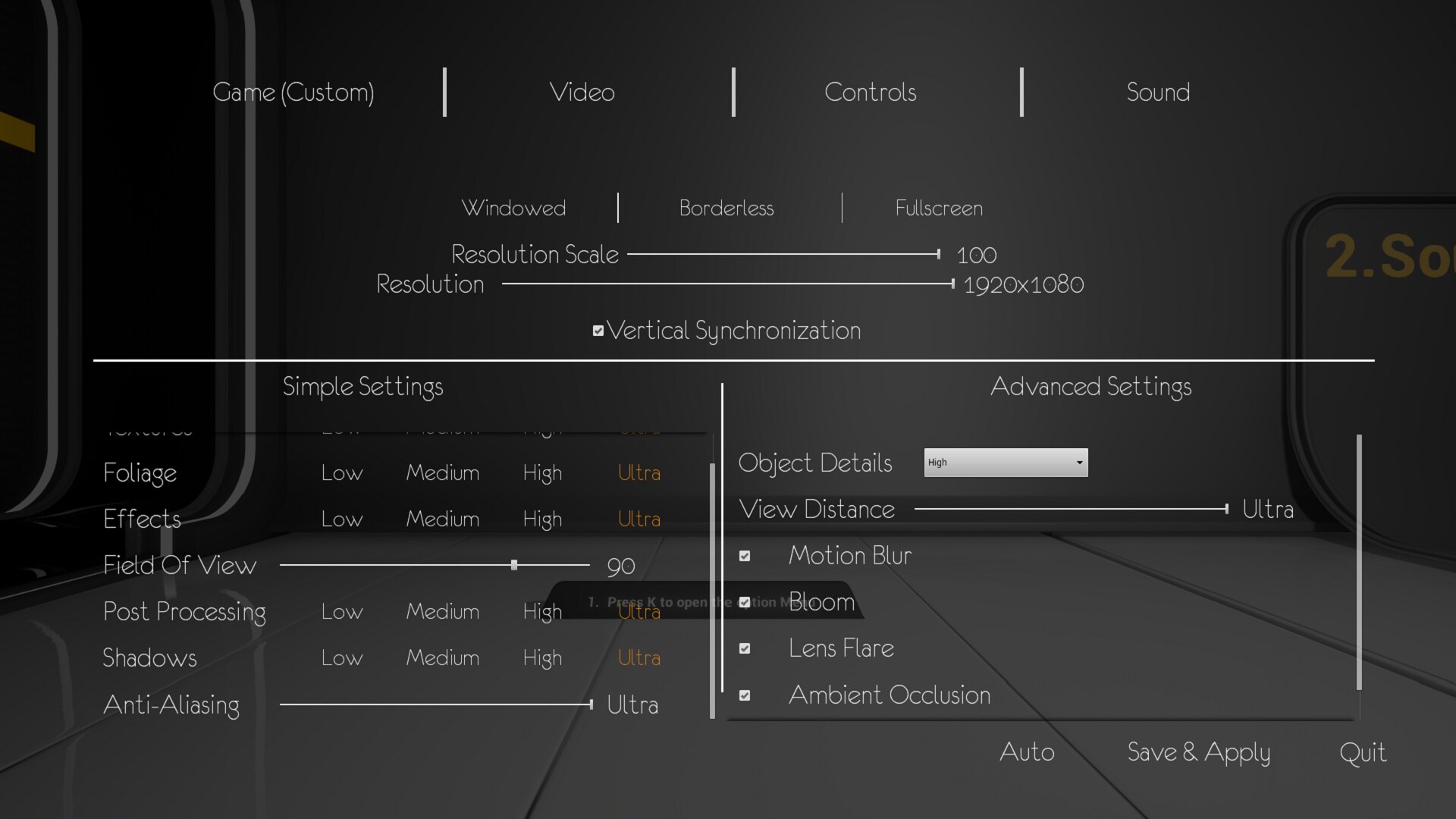
- Scalability which regroup every scalability customization which are applied on start and saved.
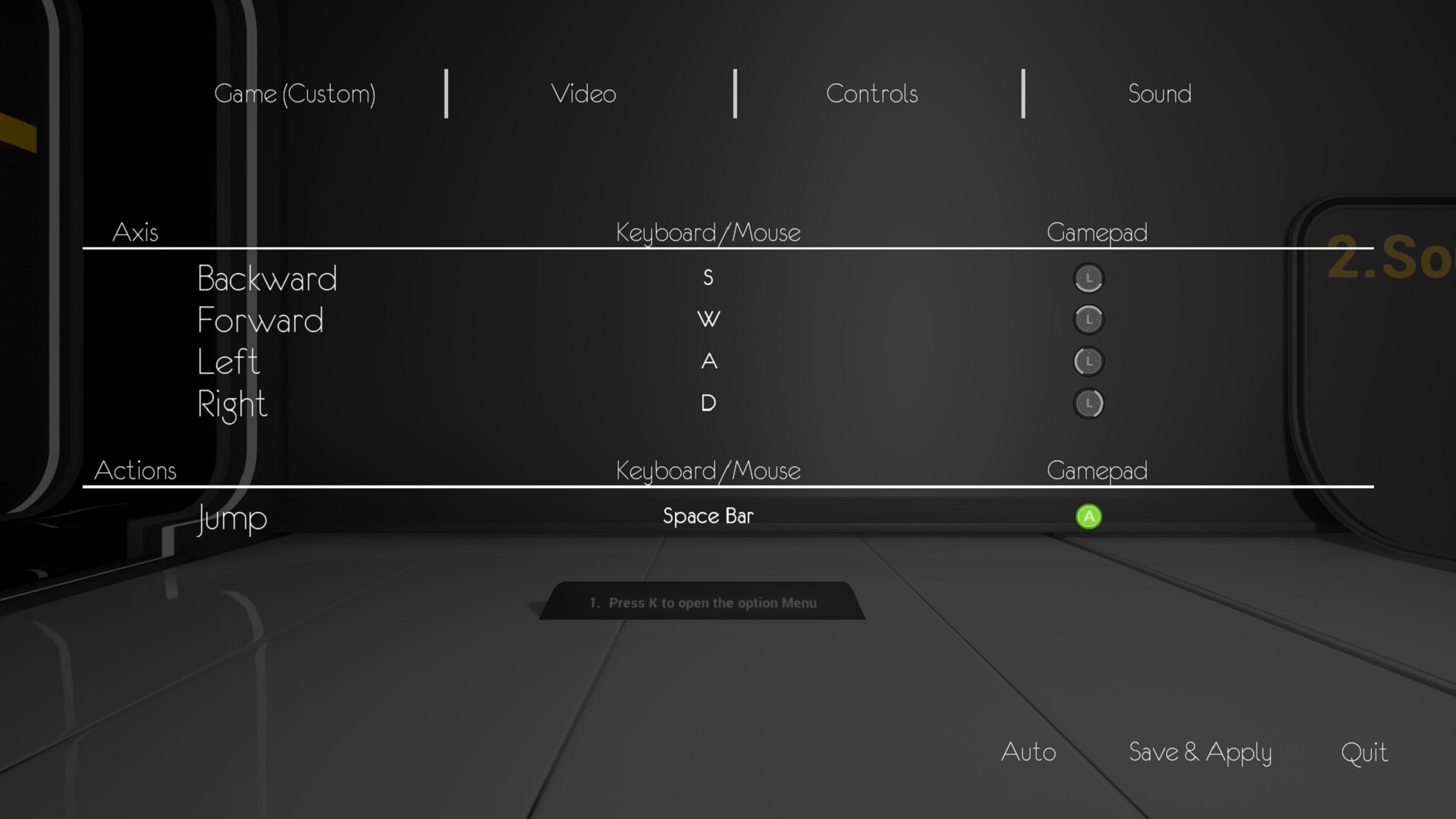
- Rebinding allowing you to modify existing inputs and dynamically integrate a gamepad with no coding.
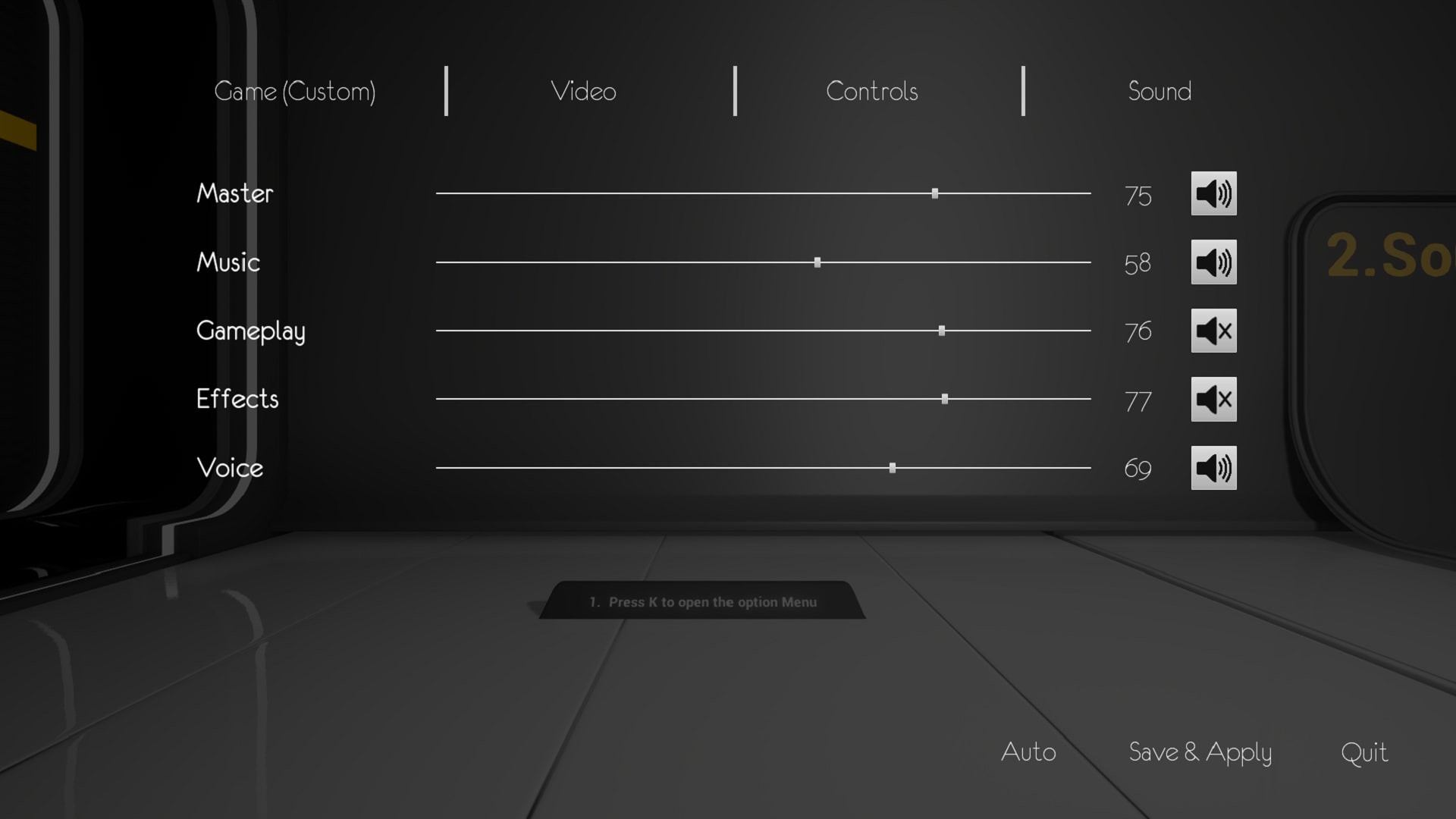
- Sound allowing you to customize sound class volumes which are saved in GameUserSettings.ini and applied on start.
Build Demo: jonathan-belot.com/Files/FullOptionMenuKit.rar
(Don't forget to download the example project that contain the BPs)
New for 4.13 and 4.14 : Edit your settings and get the BPs directly in the Editor !
The Options Menu Kit is working with a created plugin which expose needed c++ function for the input system, sound system and config files. You can use this nodes for every purposes on your project. This kit include a main Blueprint Widget where all the settings are displayed. Theses settings are :
- Custom Settings which is just a canvas panel created to allow you to add your own settings.
- Scalability which regroup every scalability customization which are applied on start and saved.
- Rebinding allowing you to modify existing inputs and dynamically integrate a gamepad with no coding.
- Sound allowing you to customize sound class volumes which are saved in GameUserSettings.ini and applied on start.
Technical Details
Feature :
*In Editor Settings :
- Edit your settings and get the BPs directly from the Editor with a specific Property Window !
*Scalability :
-Set classic scalability settings such as Resolution, Post Process, Anti Aliasing, Bloom, Motion Blur, Lens Flare, ect..
-Save each settings in config ini files and apply it on start of the game
-Quality benchmark, if no settings has been set, is launched which will set Scalability settings based upon your system configuration.
*Rebinding system :
-Display and modify every input which are set in the project settings
- Handle input conflict, remove the old existing key such CS:GO rebinding system
- Filter inputs you don't want to be reachable and modifiable.
-Option to integrate a gamepad dynamically with no coding required.
*Sound:
- Modify sound class volumes through sliders or mute them.
- Save it in config file to be applied on start.
Number of Blueprints : 18
Intended Platform: Windows (Consoles in the next update)
Platforms Tested: Windows
Documentation Included: Yes ( PDF inside the project folder)
Example Project: mega.nz/#!UQEkjJCS!jI_p1cl151i_-mB28_kHQKjsFGSqNTk88wGSKu1vFEE
*In Editor Settings :
- Edit your settings and get the BPs directly from the Editor with a specific Property Window !
*Scalability :
-Set classic scalability settings such as Resolution, Post Process, Anti Aliasing, Bloom, Motion Blur, Lens Flare, ect..
-Save each settings in config ini files and apply it on start of the game
-Quality benchmark, if no settings has been set, is launched which will set Scalability settings based upon your system configuration.
*Rebinding system :
-Display and modify every input which are set in the project settings
- Handle input conflict, remove the old existing key such CS:GO rebinding system
- Filter inputs you don't want to be reachable and modifiable.
-Option to integrate a gamepad dynamically with no coding required.
*Sound:
- Modify sound class volumes through sliders or mute them.
- Save it in config file to be applied on start.
Number of Blueprints : 18
Intended Platform: Windows (Consoles in the next update)
Platforms Tested: Windows
Documentation Included: Yes ( PDF inside the project folder)
Example Project: mega.nz/#!UQEkjJCS!jI_p1cl151i_-mB28_kHQKjsFGSqNTk88wGSKu1vFEE