

Multiplayer Chat System
This chat system comes with full multiplayer support, easy-to-use commands, and much more!
- Supported Platforms
- Supported Engine Versions4.9 - 4.26
- Download TypeAsset PackThis product contains an assortment of Unreal Engine assets which can be imported into a pre-existing project of your choice.
Description
Reviews
Questions
Video Link: https://www.youtube.com/watch?v=x8GvWuRQMyA
Important/Additional Notes: For instructions on integration, watch this video: https://youtu.be/gh25E0IWkiY
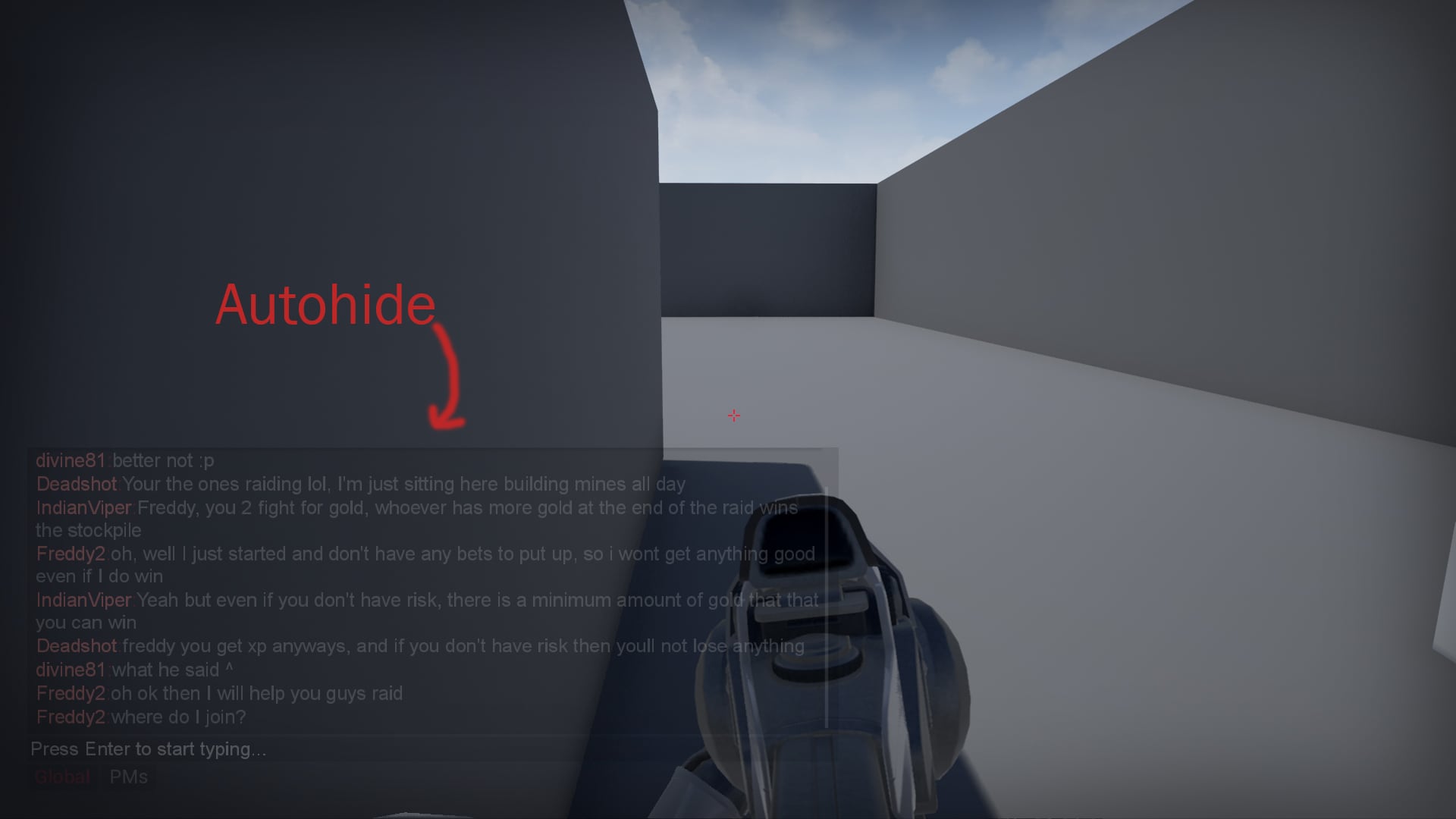
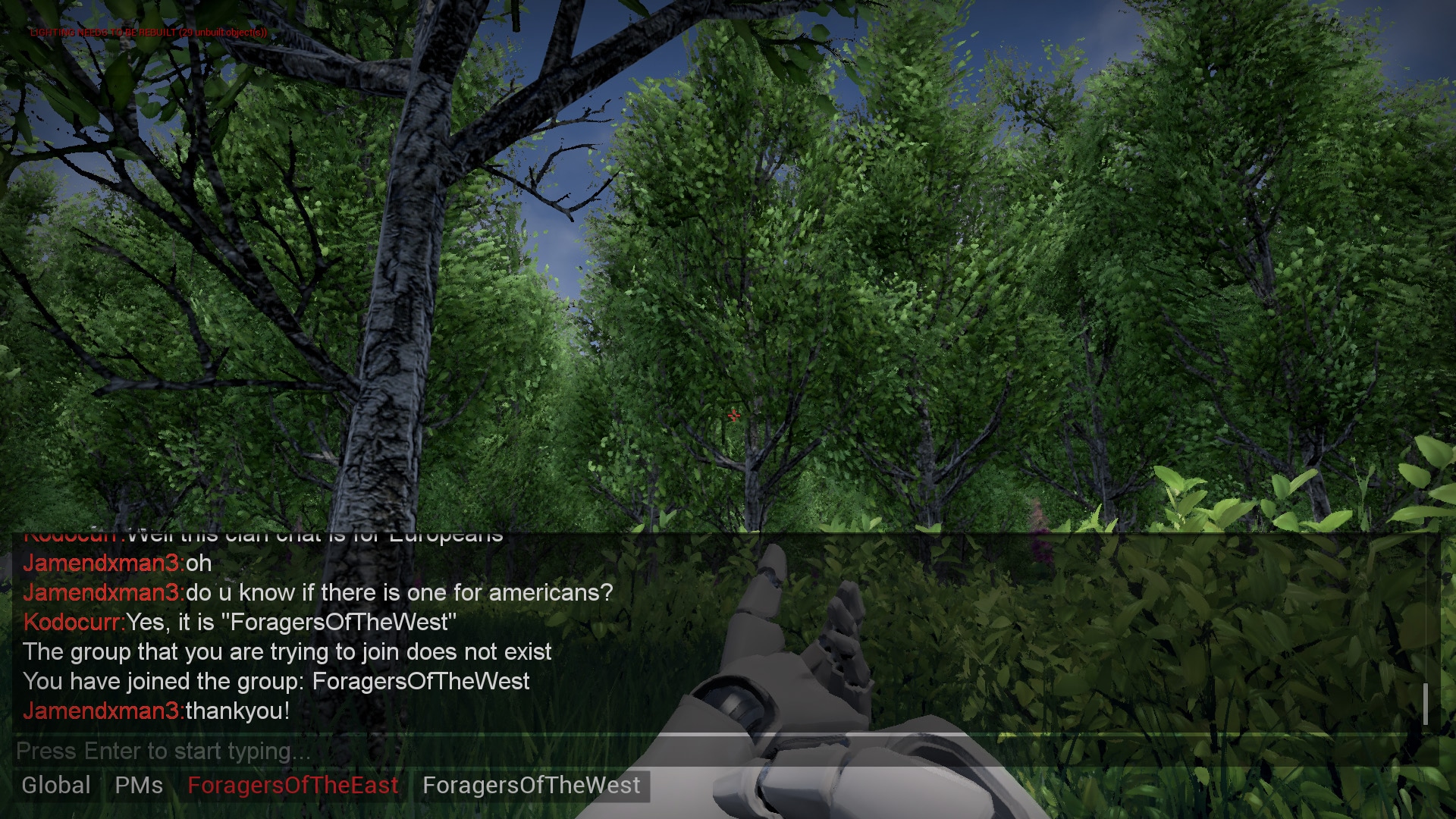
This feature-rich chat system comes with full multiplayer support, easy-to-use commands, all in very well commented and easily customizable blueprints! Features: - Commands: This chat system comes with 10 commands out of the box (And even more in future updates!) such as /mute, /pm, /setname, and many more. - Chat groups: Players can create and join each others groups with commands such as /creategroup groupname, and more! Group owners can use commands such as /kick playername, /ban playername, etc. - Word filter: This chat comes with an easy to use word filter that censors any unwanted words/phrases. - Autohide: The chat window will automatically fade out when there is no chat activity for any given amount of time, and will fade back in once the chat is active again. - Responsive chat layout: Everything within the chat conforms to it's size to make resizing easy. - Well commented blueprints: Everything in these blueprints are well explained through comments, and are laid out in a neat and readable fashion. - Easy Implementation: Implementation takes just a few minutes, and can be up & running in no time!
Support Thread: https://forums.unrealengine.com/showthread.php?93205-Multiplayer-Blueprint-Chat-System
Find other creations at https://www.interactivelearninghub.com
Technical Details
• Number of Blueprints: 10 (2 main blueprints, 1 main widget blueprint, 2 Enums, and 5 widget blueprints that make up the main widget)
• List of Features:
• Commands:
1. Private Message - /PM PlayerName Message
2. Mute - /Mute PlayerName
3. Unmute - /Unmute PlayerName
4. Set Name - /Setname NewName
5. Create Group - /Creategroup GroupName
6. Join Group - /Joingroup GroupName
7. Kick from Group - /Kick PlayerName
8. Ban from Group - /Ban PlayerName
9. Unban from Group - /Unban PlayerName
10. Leave Group - /Leave GroupName
• Chat Groups: Players can create and join each others groups to talk separately from the Global group
• Word Filter: This chat comes with an easy to use word filter that censors any unwanted words/phrases from messages
• Autohide: The chat window will automatically fade out when there is no chat activity.
• Notifications: Tabs will flash whenever a message is received in that group.
• Well commented blueprints: Nearly everything in these blueprints are well explained through comments, and are laid out in a neat and readable fashion
• Thoroughly tested with all network setups (Client/Server Model, Dedicated Server), and tested in several game environments, including FPS, Point & Click, etc
• Easy Implementation: Implementation takes just a few minutes, and can be up & running in no time
• Engine Compatibility: 4.9-4.22+
• Intended Platform: All
• Platforms Tested: PC
• Documentation Included: All blueprints are heavily commented and well explained