

Advanced Blueprint Hotkeys
Create advanced custom shortcuts for spawning any Blueprint Node
- Supported Platforms
- Supported Engine Versions4.22 - 4.23
- Download TypeEngine PluginThis product contains a code plugin, complete with pre-built binaries and all its source code that integrates with Unreal Engine, which can be installed to an engine version of your choice then enabled on a per-project basis.
Description
Reviews
Questions
IMPORTANT : IF you have already installed V1, make sure to save a local copy of the file "HotkeyBindings.ini" which can be found at in the following folder:
EngineDirectory/Engine/Plugins/Marketplace/HotkeyEditor/Config
Once you have saved this file, and updated to the latest version.
Copy it to C:\Users\[UserName]\AppData\Roaming\UnrealEngine\Plugins\HotkeyEditor\Config
This will make sure that your old bindings are converted properly to the new system! :)
NEW V2.0:
Cluster spawning: The editor has been revamped, and you can now join together entire clusters of nodes and spawn all of them with one single binding!
Sick of typing long search strings in the Blueprint context menu, hoping not to misspell and praying that the node you're looking for is the first to show up? Every single time you want to add a node? Especially the nodes you use at least 100 times every day?
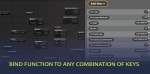
Now you don't have to! With this hotkey editor you can create entirely custom hotkeys for almost any blueprint node!
Alt + S for a Self node? Sure!
Ctrl + Alt + T for Get Actor Transform? Absolutely!
Shift + Alt + Ctrl + W + A + S + D to add a Custom Event? Why not?!
YOU DECIDE! Use whatever logic or system you want for you very own keyboard shortcuts!
It has sped up my workflow tremendously, not having to right click and search every time I want to add a node. Hopefully it will for you as well!
Technical Details
Note 2: The editor has a few default keybindings to spawn nodes, if you want to bind an action to one of these keys it is recommended to unbind the default first. [Guide]
Other Links:
If you have any issues, please post them here:
Features:
- Almost limitless choices of hotkey combinations. (Some keyboards may not support many simultaneous keypresses, but it is supported by the plugin)
- To my knowledge it works with all preexisting nodes (There are over 10.000)
- Add hotkeys to custom functions as well!
Code Modules:
- HotkeyEditor (Editor)
Number of Blueprints: 0
Number of C++ Classes: 4
Network Replicated: No
Supported Development Platforms: Win64, Win32